Understanding content strategy
Instagram is a visual platform: you have to generate an image or a video to begin a post, and your profile link is the only clickable link you get — you can't add links to regular posts. Creating visual content that appeals to your followers is paramount to success.
Uploading a post
To upload a photo or video, tap the + button in the lower menu of any screen, then choose Gallery, Photo, or Video.
- Gallery opens your camera roll. Select up to ten photos and videos for a single post (called a carousel), tap Next, and use the double-arrow button to switch a single photo from square to landscape or portrait orientation.
- Photo opens the in-app camera — press the big circular shutter button, and use the double-arrow button to switch between front- and rear-facing cameras.
- Video opens the in-app video camera — press and hold the shutter to record. Release to stop, hold again to add another sequence, and tap DELETE to remove the last portion. Tap Next when finished.
On the editing screen, scroll through the Filter tab and tap any filter to apply it; tap a selected filter a second time to open a 0–100 intensity slider. The Edit tab (photos) offers individual adjustment tools, and the Cover tab (videos) lets you pick any frame as the cover image. Then tap Next, write your caption, add a location tag, tag people in the photo, and tap Share.
Pro tip
Avoid sharing directly to Facebook or other platforms from the upload screen. If you want to cross-post, share it afterward and personalize the caption for each platform.
What works well
People want quality visuals. Accounts like @rachels.fit.kitchen show what well-crafted photos look like — good lighting and strong color composition.
- Good lighting: plan photos around the time of day, rearrange staging to take advantage of the best light sources, and move closer to a window during daylight.
- Color composition: allow one or two colors to be the focal point, include accent colors, experiment with combinations, and focus on colors specific to your branding.
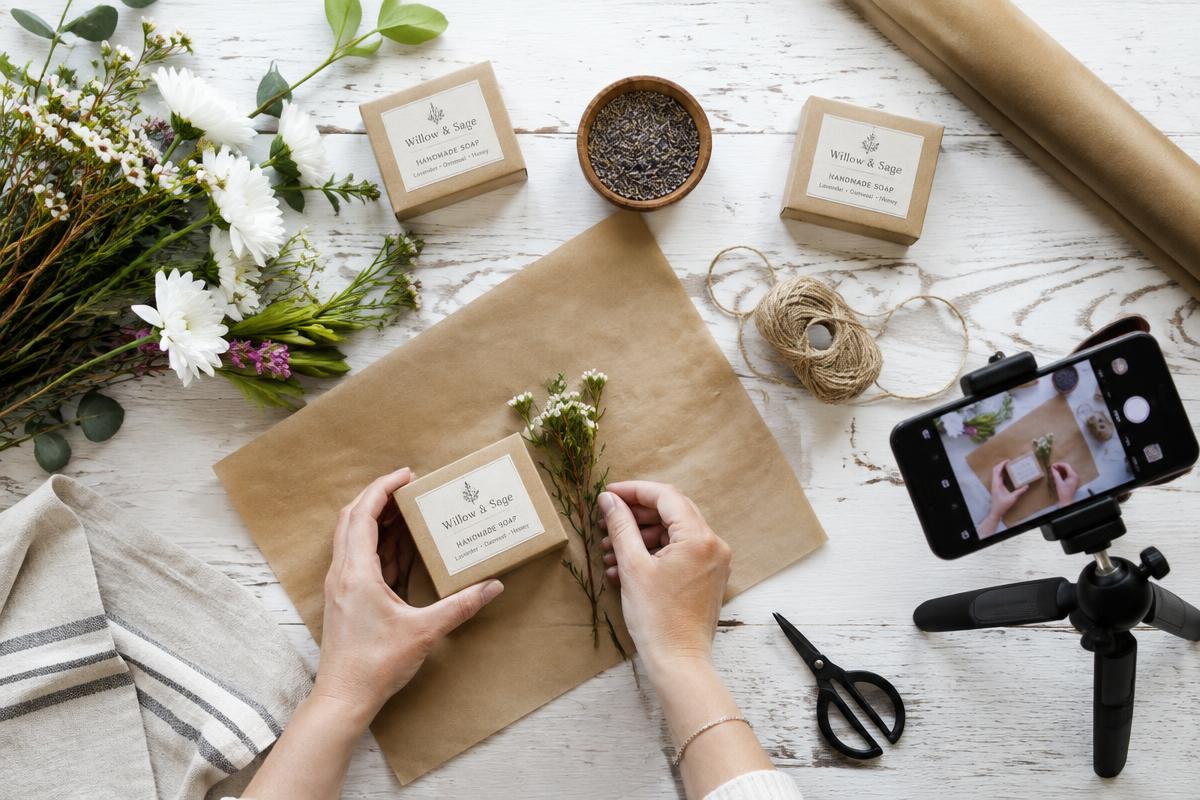
- Different angles: get low to the ground or shoot down from above; try flat-lay versus straight-on shots; move the subject closer or further to minimize or augment the background.
- Sharp images: take many photos so you have the clearest ones to choose from.
- Clear video: avoid moving or shaking the camera, ensure sufficient lighting, and clear the area of distractions.
- Good audio: use an external microphone or headset if possible, avoid windy locations, and minimize background noise.
- Pick two or three filters that align with your brand style and keep them in the same color tones (yellow or blue undertones).
- Vintage brands: try Amaro, Rise, Crema, or Reyes.
- Food businesses: bold colors work better — try Clarendon, Skyline, LoFi, or June.
- Photos that tell a story and connect emotionally perform better — people look for happiness and inspiration.
- For videos, choose a cover frame that tells the video's story as a still image; the default frame is rarely the best.
- Shorter videos generally get more retention and engagement.
Pro tip
Plan your photos and videos in advance. Knowing what visual content you need lets you stage your shots and pick the best times of day and locations.
Tips to increase engagement
- Use bold colors that stand out in the feed.
- Keep photos simple, with a clear focal point and no busy backgrounds.
- Add a person to the photo — a hand, the back of someone's head, legs walking, or a face. It makes content relatable (see how @maine_blonde uses this tactic).
- The color blue has been found to generate more engagement.
- Use filters for more artistic, “Instagram-worthy” effects.
Pro tip
People like to be entertained or educated. Provide one — or both — and you will get more engagement on your posts.